SeamID.
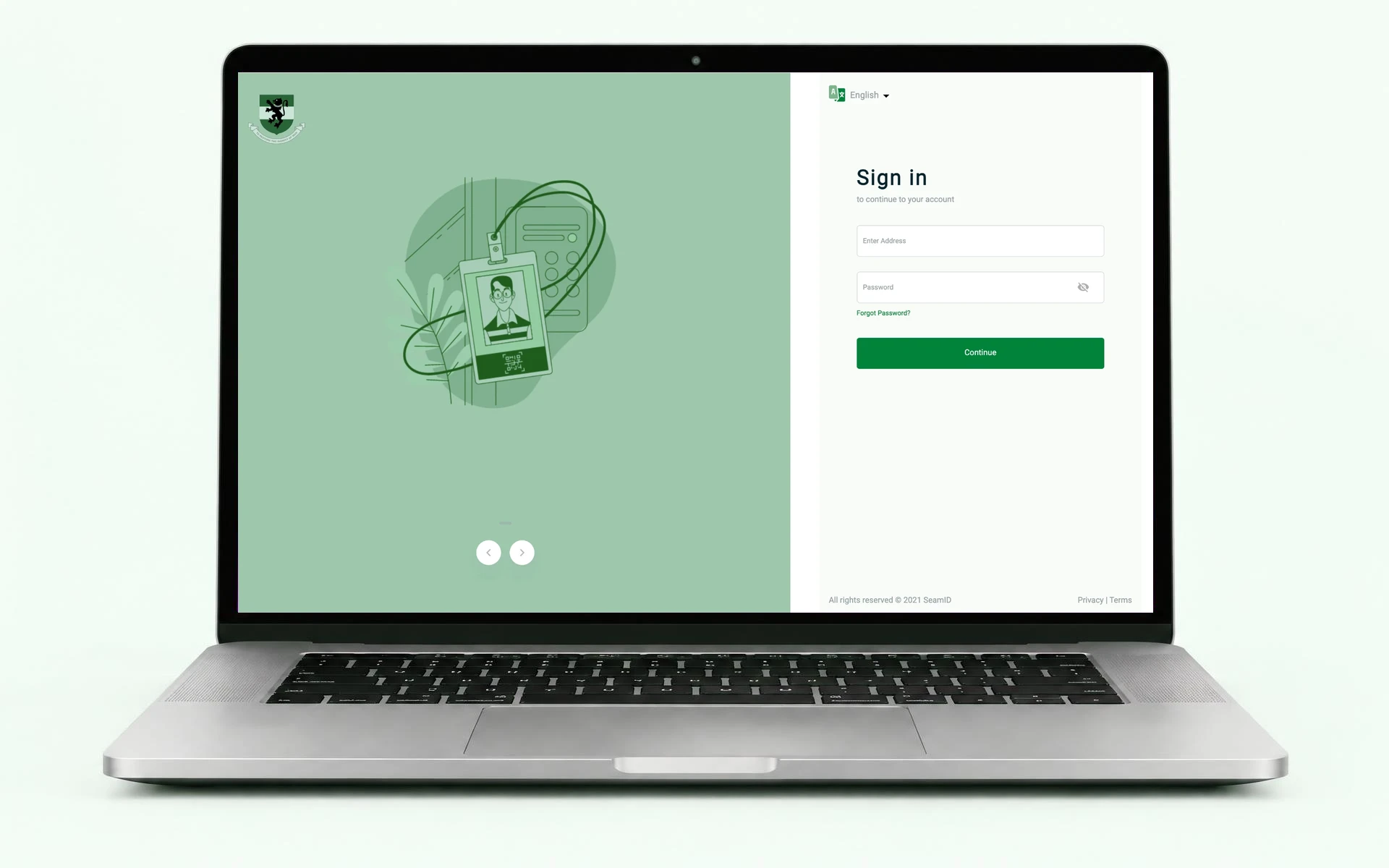
An identity management platform supporting photo capture, portrait management, ID card generation, and downloads. The design work explores how users capture identity photos, access portrait records, generate ID cards, and recover from errors across key identity management workflows.
01. Problem
What wasn't working?
Users experienced recurring issues across SeamID's identity management workflows, affecting photo capture, portrait retrieval, ID card generation, and downloads. Photo capture was slow and frequently resulted in gateway timeouts, while missing portrait images caused ID card downloads to fail. Other issues included missing card backgrounds and signatures, an unavailable login page image, and unclear guidance when users encountered errors.
These problems made essential tasks less reliable and created avoidable friction in the user experience.
02. Context
Understanding the people and the product.
SeamID is an identity management platform that supports photo capture, portrait management, ID card generation, and downloads.
The improvement initiative focused on addressing reported production issues across these workflows. Six user-facing issues were investigated and subsequently resolved, with fixes deployed to production.
- My role
- Product Designer
- My contribution
- Identifying user-facing UX problems, recommending design and usability improvements, and personally testing fixes to validate their resolution.
- Scope
- Photo capture, portrait handling, ID card generation and downloads, error feedback, and visual consistency.
03. Approach
How I worked through the design.
I approached the initiative by focusing on the problems users encountered while completing essential tasks and validating whether the reported issues were resolved after deployment.
- 1. Identify user-facing problems
- Reviewed reported issues and examples to understand where users experienced friction across photo capture, portrait retrieval, and ID card generation.
- 2. Recommend usability improvements
- Identified opportunities to improve user guidance, error recovery, and the handling of situations where a portrait was unavailable or a photo could not be validated.
- 3. Validate fixes
- Personally tested the fixes to check whether the reported issues had been resolved and whether the affected workflows could be completed successfully.
- 4. Review the production experience
- Reviewed the reported post-deployment results, including improvements to photo capture performance, ID card downloads, and the restoration of missing visual elements.
04. Key Contribution
The decisions I helped shape.
My contribution centred on identifying user experience problems and helping validate improvements across critical workflows.
- ID card downloads
- Tested the corrected download workflow, including scenarios where a portrait could not be rendered and a previously generated card was used as a fallback.
- Photo capture
- Evaluated the capture experience and the feedback provided when a photograph could not be validated.
- Error recovery
- Recommended clearer guidance so users without an available portrait could use the “Recapture Photo” action instead of unnecessarily contacting technical support.
- Visual consistency
- Validated fixes relating to missing ID card backgrounds, signatures, and the login page image.
- Usability validation
- Personally tested fixes to confirm whether the reported issues were resolved.
Engineering implemented the underlying technical fixes. My role was to identify UX problems, recommend improvements, and validate the resulting experience.
05. Outcome
What changed in the experience & Impact?
Six reported user-facing issues were resolved, and the fixes were deployed to production.
- Improved photo capture performance
- Post-deployment testing showed photo capture response times of approximately 0.6–2.7 seconds, replacing previously reported gateway timeouts. Authentication caching also contributed a reported additional performance improvement of approximately 900 milliseconds per capture.
- More reliable ID card downloads
- The corrected portrait-handling logic allowed downloads to fall back to a previously generated card when a portrait could not be rendered, preventing that failure from stopping card generation.
- Clearer recovery guidance
- Users without an available portrait received guidance to use “Recapture Photo,” giving them a practical next step without immediately needing technical support.
- Restored ID card visuals
- Missing ID card backgrounds and signatures were restored, alongside the missing login page image. The login page illustration was also migrated into SeamID's managed assets, reducing its dependency on external configuration.
The initiative addressed reliability, performance, and usability issues across essential identity management workflows. It improved the reported production experience while providing an opportunity to identify usability gaps, recommend improvements, and validate fixes against real user-facing problems.
Keep exploring.
Every project offers a different perspective on how design can make a product easier to understand and use.